An editable native website
Nine static pages and four CMS detail layouts, with shared navigation and footer, responsive layouts and a private Start here page inside Framer.
 Templates
Native Framer template · One-project license · Companion kit included
003 / FRAMER TEMPLATE FOR WORKFLOW SAAS
Make the work between tools feel effortless.
A marketing website for automation products serving sales, support and operations. Show the handoff, explain the human decision and give your content room to grow.
Try the live demo ↗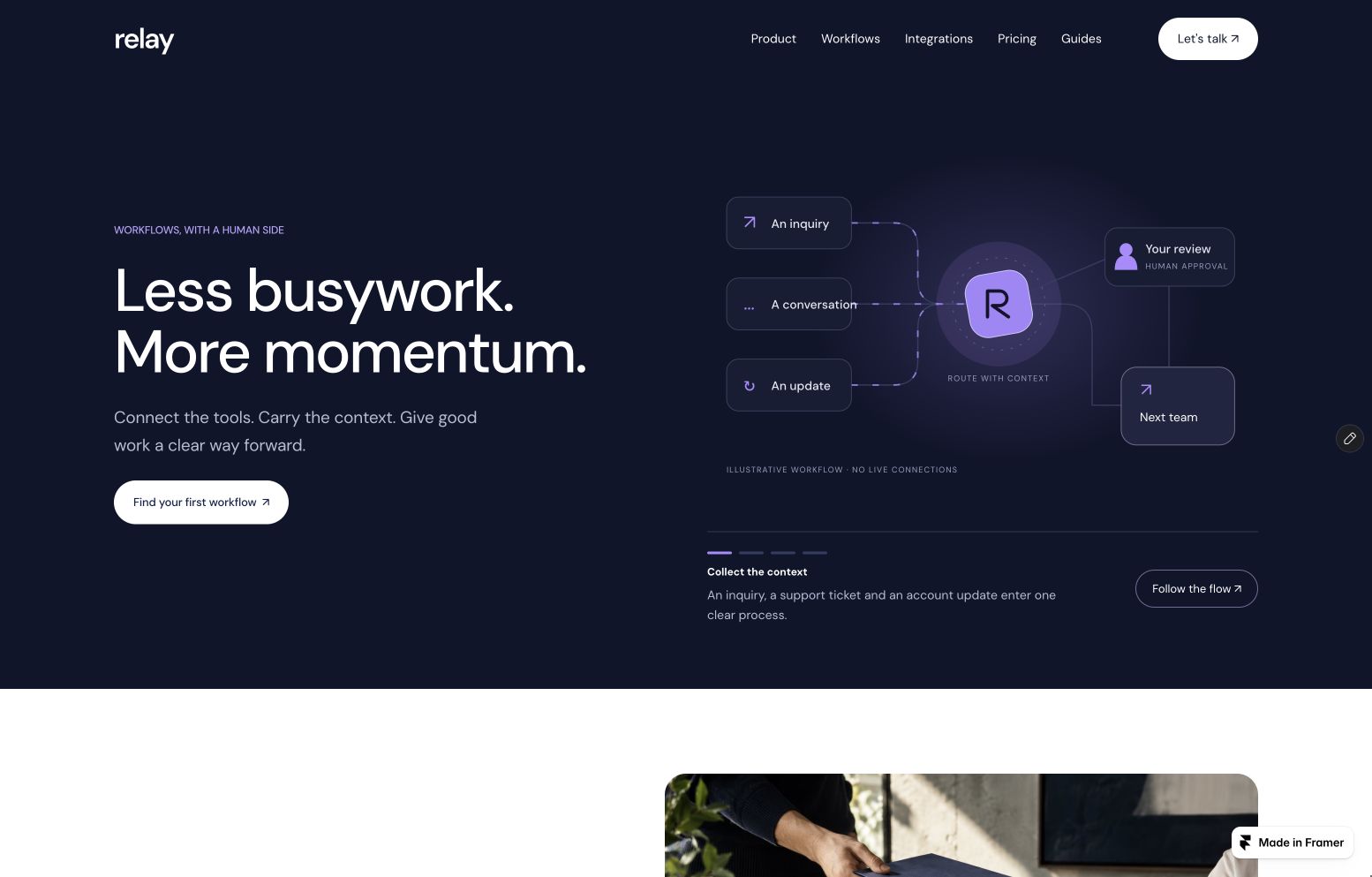
Native Framer project · English content · Italian & English buyer guides
Actual screenshots of the published Framer demo. Try the interactive scenes in the live site; the examples do not connect to real services.
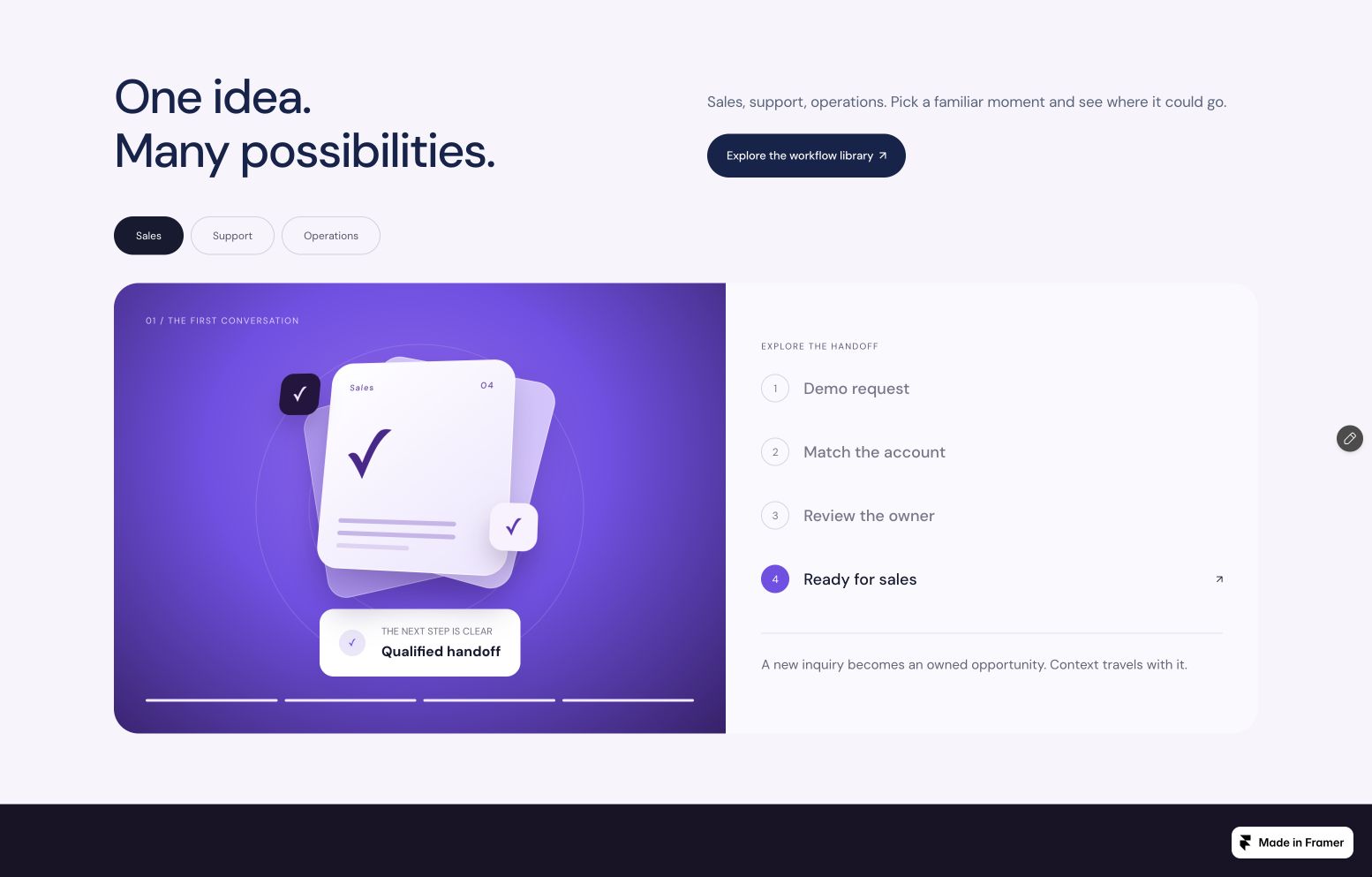
Switch between sales, support and operations. Select each stage and watch the scene respond.
Open full screenshot ↗Deep ink, sculpted violet graphics and human imagery give workflow software an approachable identity.
Nine static pages and four CMS detail layouts, with shared navigation and footer, responsive layouts and a private Start here page inside Framer.
A guided flow, selectable scenarios, a connection map, a human-approval simulator, a pricing estimator and illustrated FAQ and closing scenes. Component controls expose the supported copy, prices and accent colors.
An offline HTML guide, seven setup and license/support documents, the original illustrative photo, four cover designs and brand assets. Online setup guides are available in Italian and English.
FRAMER CMS
Write, edit, relate and publish in Framer’s own CMS. The template includes 24 sample records across four collections.
Read the setup guide ↗Triggers, expected results, prerequisites, steps, covers and related integrations. Feature a workflow without changing the page layout.
An editorial directory with category, monogram, examples, setup notes and related workflows. Replace the samples with integrations your product actually supports.
Rich-text articles with covers, featured selection and related workflow links. Create practical documentation alongside your product story.
A changelog with a native detail page and optional publication date. Draft records stay outside the published library.
The CMS manages website content. It is not a lead inbox or automation backend. Home scenarios and simulator settings use separate component controls; they do not synchronize with CMS records.
Workflow automation SaaS, approval tools and operations software that need to explain how work moves between people and systems. The included examples cover sales, customer support and internal operations.
No. It is an editable marketing website with interactive demonstrations. It does not authenticate third-party accounts, process workflows or provide a customer dashboard. Connect your real product through your own destinations.
Yes. The four native collections provide forms for articles, workflows, integrations and updates. Shared page layouts render those records. Supported scene copy and settings are edited in Framer’s component panel. Changing the underlying simulation logic requires code.
No plugin is required to edit Relay. You need a Framer account and a publishing plan that supports your chosen CMS usage, domain and localization. Framer subscriptions, hosting and third-party services are separate from the template purchase.
The native website content is English. Buyer guides are Italian and English. The companion includes original cover artwork, brand files and an AI-generated illustrative handoff photo. You can replace them. A multilingual published website needs its own localization setup.
The template includes editable native fields and an intentionally disabled demonstration. Configure your own destination, prepare privacy information, remove the documented demo override and verify delivery before enabling it.
A valid purchase includes a one-project license, the Framer copy and companion kit. Support covers documented setup, missing delivery items and reproducible defects. Customization and integrations are separate services. Read the purchase terms for full details.
Your editable Framer copy, four CMS collections and a companion of guides and original assets. One purchase for your next project.
Read the setup guide ↗