Embedded or dedicated
Place the questionnaire inside your landing page or use its dedicated page for campaigns. Each instance keeps its own answers.
 Templates
Native Framer template · One-project license · Guides and assets included
FRAMER TEMPLATE / ADAPTIVE FUNNEL
Every answer finds its own way forward.
Turn your landing page into a conversation. Guide each visitor towards a relevant next step.
Native Framer template in English. The demo sends no data.
SEE HOW IT WORKS
In under two minutes: edit a question, inspect a conditional rule, synchronize and preview the result in Framer. Silent video with captions.
Invite from your landing page. Ask one question at a time. Offer a result before asking for contact details.
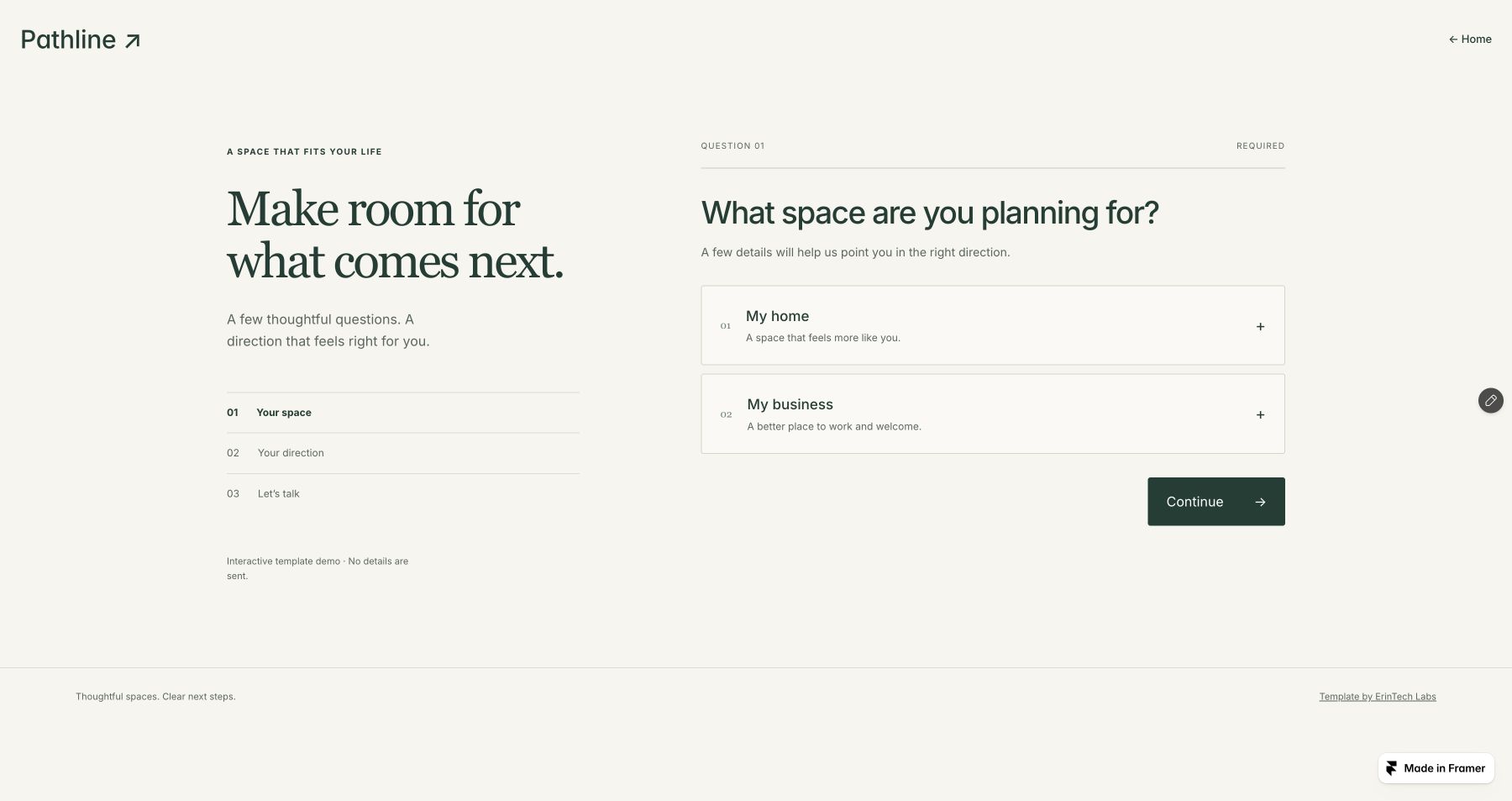
Place the questionnaire inside your landing page or use its dedicated page for campaigns. Each instance keeps its own answers.
Single choice, multiple choice and free text. Rules guide people towards different questions and results.
Choose horizontal or vertical progression, without revealing future questions. Going back and changing an answer recalculates the remaining journey.
FRAMER CMS
Edit content in Framer CMS, then use Pathline CMS to check and sync your questionnaire.
Read the guide ↗Five connected collections. Routine setup needs no code or JSON editing. Sync is manual: Validate and sync, then publish in Framer.
A valid purchase includes the editable native landing page, dedicated funnel page, adaptive questionnaire, five CMS collections, guides and original assets. The license covers one project; setup support is available in English and Italian.
You need enough capacity for five CMS collections and their items, plus permission to edit the Code component. Framer hosting, your domain and plan are separate from the template.
Branches are configured through CMS records. A visual node editor is not included. The guide explains how to order and check rules.
Configure and test a contact receiver before enabling submission. The demo demonstrates the journey without sending data. Receiver infrastructure and any external services are separate.
Yes: copy, answers, rules, results, imagery and styling are customizable. The included example concerns living and working spaces. Native content and deliverable documentation are in English.